DinoPulse
A music player with a built-in downloader. Your music lives on your own machine and plays anywhere, with or without a connection.
Overview
I built DinoPulse because sometimes you just want a normal music player, without a lot of bells and whistles, without AI-generated music and without ads. With DinoPulse, you have the power: you listen to your music without problems and without interruptions, and everything you need is in one place. What I like best is that it is simple and calm, and you can still shape and rebuild it to your own ideas and wishes. It is meant for everyone, young and old. The only limit is your own creativity.
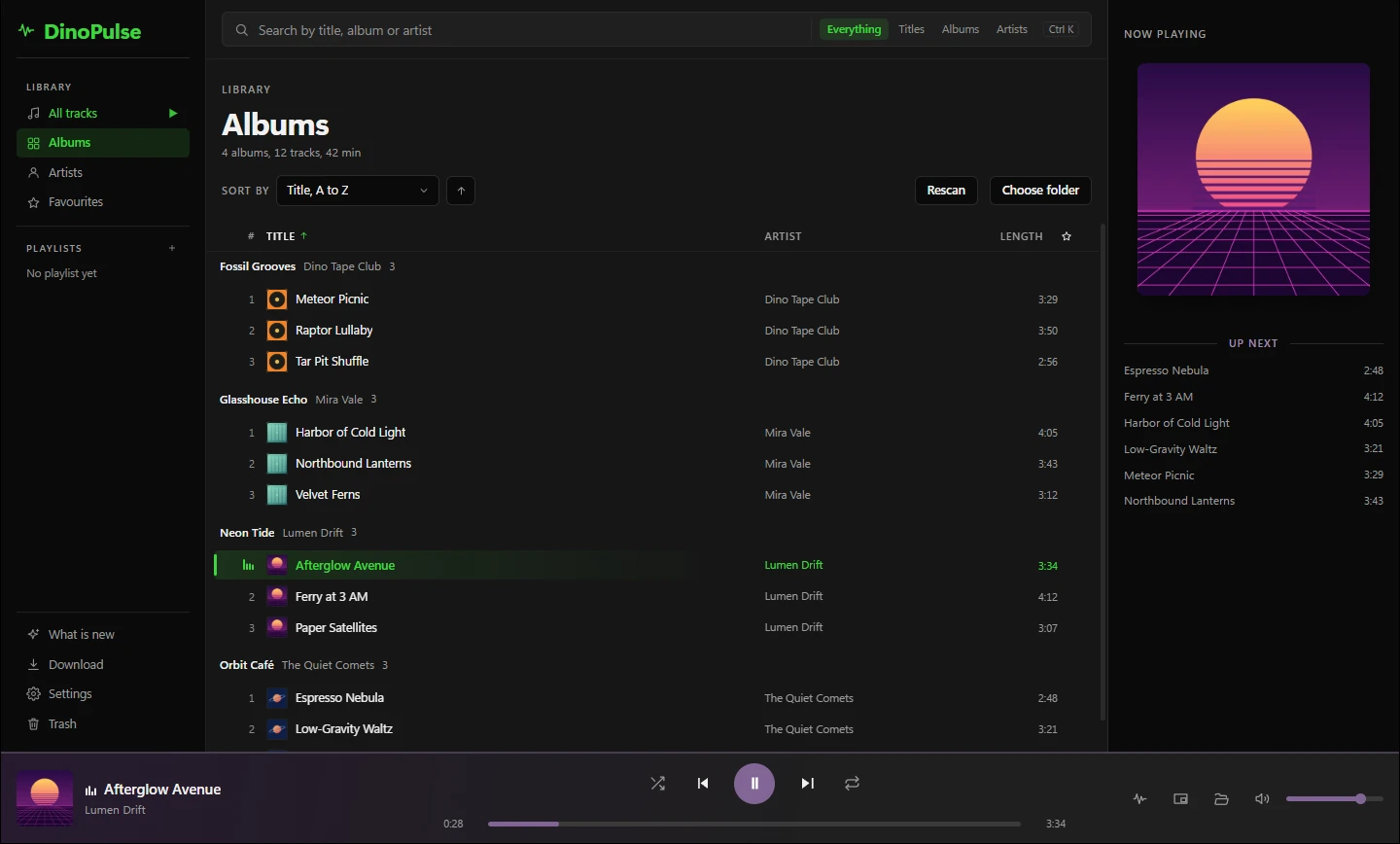
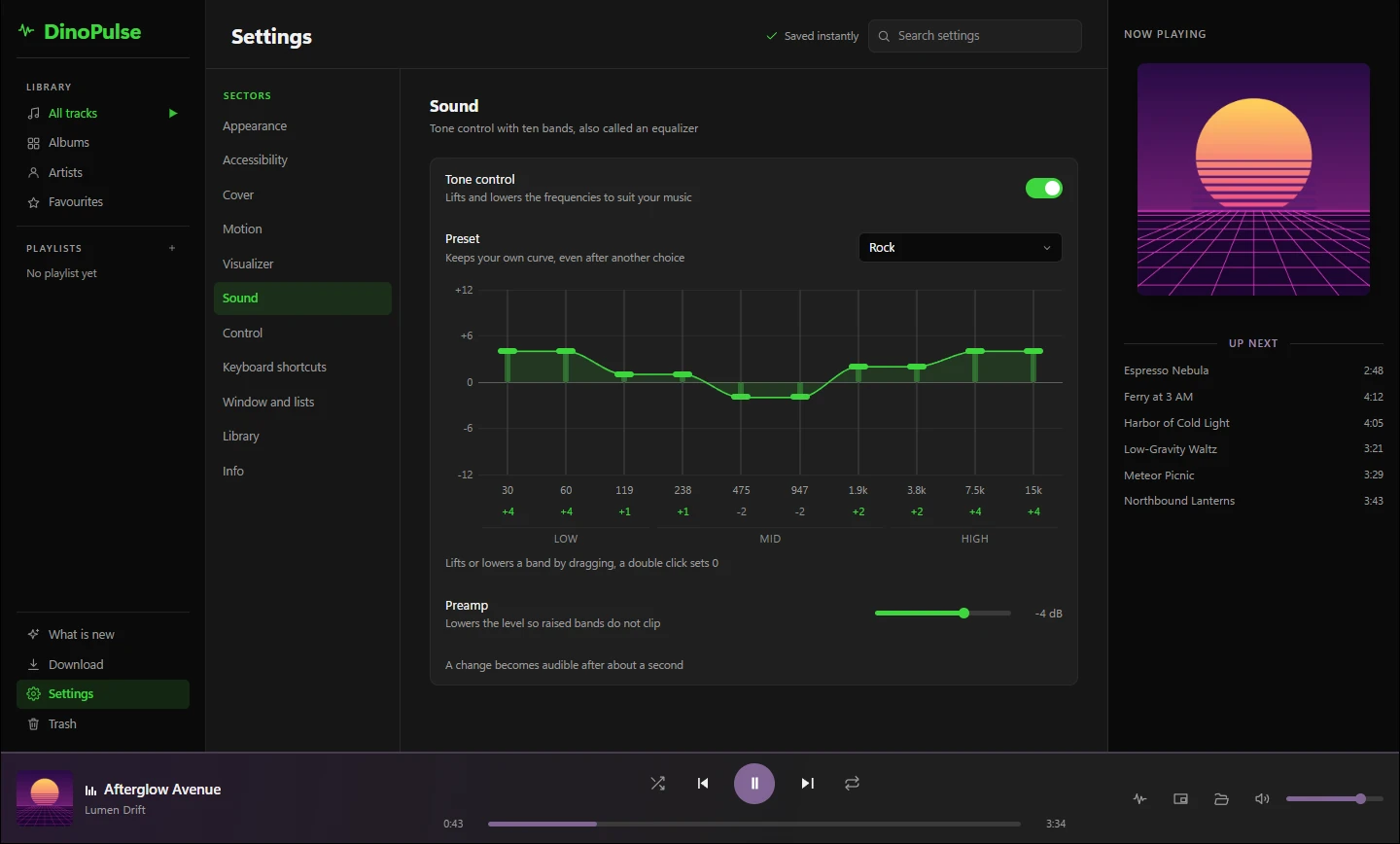
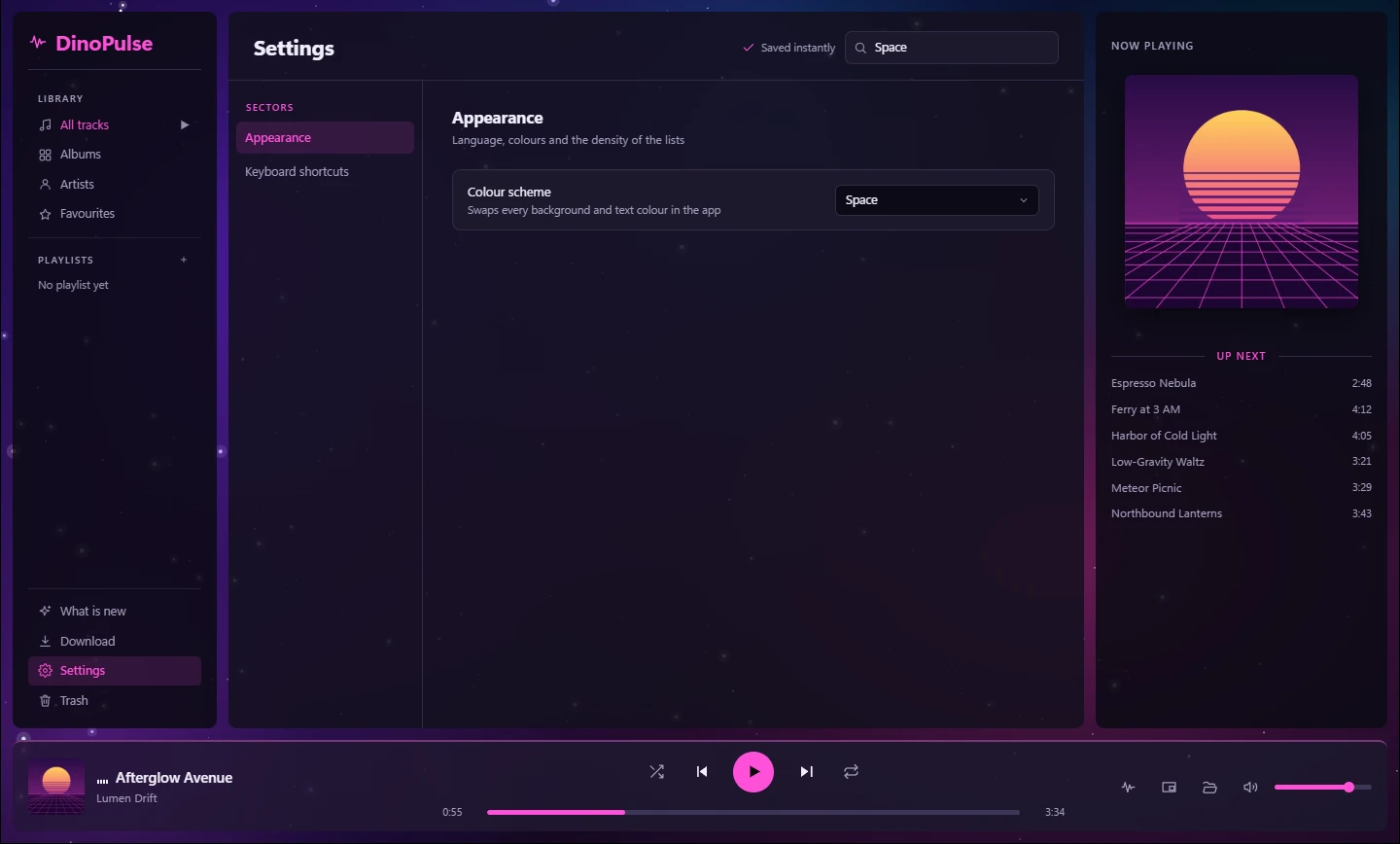
What DinoPulse can do today:
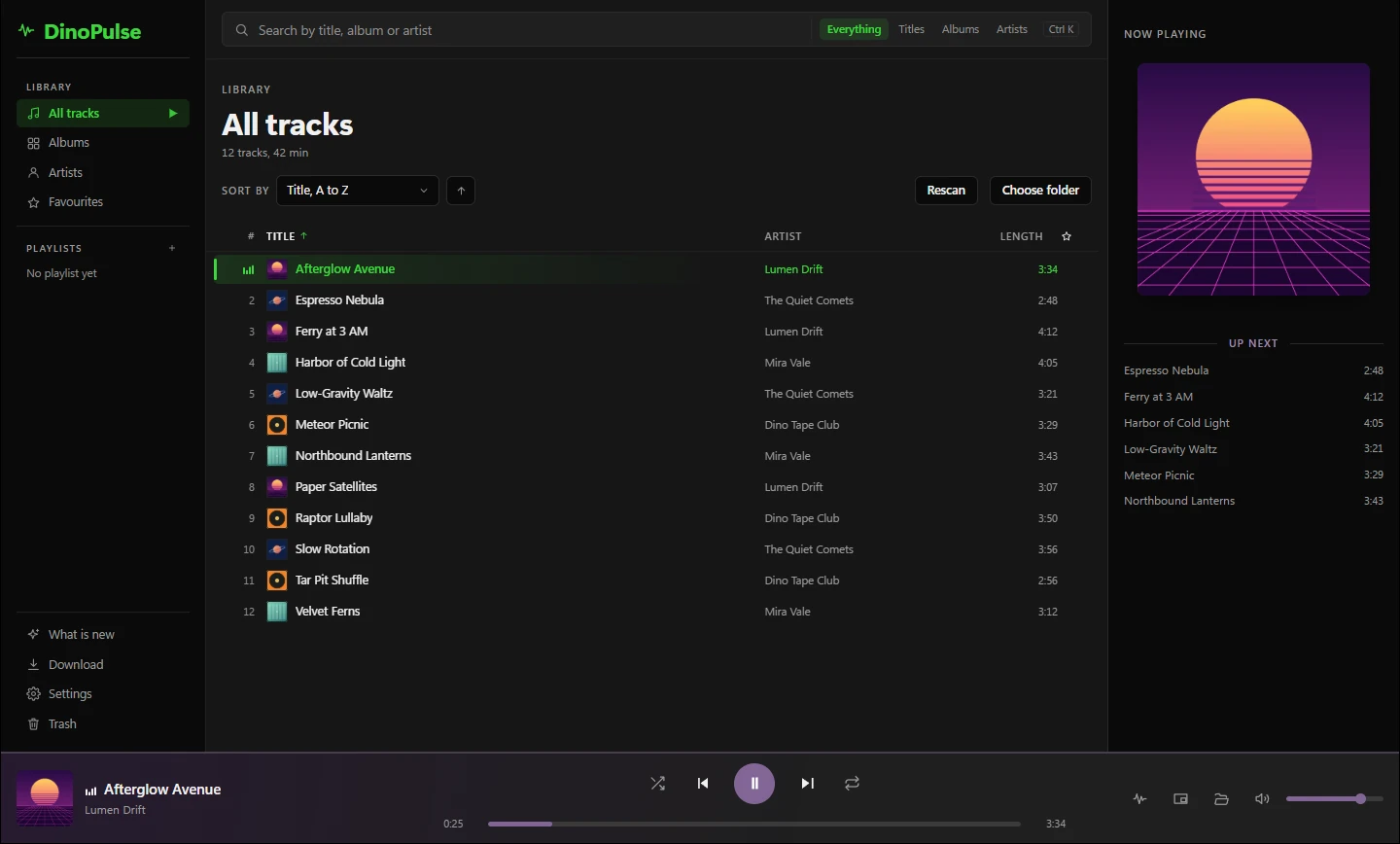
- Library: Pick a folder and DinoPulse scans it with visible progress. After that the library is there at once whenever you start DinoPulse, and only new and changed files are read again. Tracks can be sorted, grouped by album or artist and searched, with favourites and playlists.
- Playback: Queue, shuffle, repeat, a mini player, media keys and a tone control with ten bands, a preamp, ten presets and a switch to turn it off. Where you stopped is remembered across restarts.
- Downloader: An address, a search term or a playlist goes in, and the track lands in your library with tags and cover art. You choose format, quality, file name and folder.
- Match: Paste a Deezer playlist, album or track and DinoPulse looks for each track and shows how well every hit fits. Nothing is fetched until you say so. The tracks get their title, artist, album and cover from Deezer, and a Deezer playlist becomes a playlist in DinoPulse right away. You can switch that off.
- Trash: Deleted tracks go to a trash of its own and come back with their favourite and their places in the playlists.
- Looks: three dark colour schemes, a free accent colour and a spectrum with seven shapes. The interface comes in German and English.
- First start: A short guide walks you through language, colour scheme and music folders, and you can skip it and start it again later. "What is new" in the sidebar shows what the current version brings.
Versions
0.7.3-1
Added
- The tone control has an on/off switch and a preamp: off leaves the sound untouched and keeps the curve, the preset and the preamp for later
- A log line when the preamp cannot be built
Changed
- Ten vertical sliders on one field, each with its measured frequency, an axis in dB and a curve: drag, arrow keys, Page keys, Home and End; a double click sets 0
- The volume slider and the preamp share one slider style instead of two copies
Fixed
- "Own" brings back your own curve after a preset
- A pending save no longer writes an older band or preamp value over a newer one
- "What is new" shows only the current version: the one Info shows; if it brings nothing, the last version with text, under its own number; also at start after skipped versions, instead of every version since the last confirmed one
Only the newest version is listed here.
Planned
Editing tags
Today DinoPulse only reads title, artist and album from your files. Later you'll be able to change them too, written straight into the file and safeguarded so that no half-written file is left behind.
Keyboard shortcuts
Version 1 brings a list of all the keyboard shortcuts DinoPulse knows, so you can look them up in one place.
After version 1
Several things are set for after version 1: updates from within the app, so DinoPulse finds and loads new versions itself, and Last.fm, so the tracks you play show up there. On top of that come shortcuts you assign yourself and system-wide ones, so you can control DinoPulse from any window, even without media keys.
On your phone
DinoPulse is meant to come to phones too. The order right now is Windows first, then Linux, then phones. It can still change, and anything new about it shows up here.
Help
How do I install DinoPulse?
Download the installer with the "Download" button at the top of this page and start it. It needs 64-bit Windows 10 or newer and administrator rights, installs into "Program Files" and adds shortcuts to the start menu and the desktop.
Why does Windows warn me on the first start?
DinoPulse is not signed, so Windows shows a SmartScreen warning on the first start and hides the start behind "More info". Click it and then "Run anyway". Only a certificate would change that, and it is too expensive.
Where do the download tools come from?
DinoPulse fetches them itself once you confirm on the download screen. It names size and address first and then checks every file against the checksum its release ships. If a tool is already installed, DinoPulse uses that one.
Does it work with Spotify?
No. Spotify hands the tracks of a public playlist only to its owner. The match works with Deezer.
A track still shows its old tags after editing?
DinoPulse reads a file again only when its size or its last change differs. Some tag editors keep both when they save, and then DinoPulse does not notice the change, not even on "Rescan". Delete library-index.json in %LOCALAPPDATA%\DinoPulse and DinoPulse reads everything again on the next start. Nothing is lost.
What is in the log?
DinoPulse writes errors to the file dinopulse.log. Where it is, the settings show under "Info" next to "Files". It can contain paths with your Windows user name, titles, addresses from the download tools and text from error messages. The file stays on your computer and only goes anywhere if you send it yourself. You can look at it in any text editor first.
How do I remove DinoPulse?
Through "Programs and Features". The uninstaller removes the program and the shortcuts. Then it asks whether the settings, your playlists and the tools it fetched should go as well. "No" is preselected, and then they stay for a later install. Your music always stays, and so do the trash folders .dinopulse-trash with the tracks in them.
System
- Windows 10 or newer, 64 bit
- Administrator rights for the installation
- Microsoft's WebView2 runtime. If it is missing, the installer fetches it.
- Internet only for downloads and the tools. Playback works without a connection.
- Linux comes later, once it works properly there.
- macOS is not planned.